

Bananzia Login and Sign Up
A new account at Bananzia is created by you in a few minutes, and the one detail that saves trouble later is the spelling of your name, which has to match your identity document letter for letter. Everything that follows, from the login routine to the document check, is handled by us in the same account area on the site and in our Android app.
Creating your account
- Press Register in the top right corner and enter your e-mail address and a password.
- Fill in your first name, last name, date of birth, country of residence, gender, full address and nationality as they appear on your ID.
- Pick CAD or another account currency, since the choice determines the currency of your limits.
- Confirm the e-mail that is sent by us and open the cashier for a first deposit.
- Upload your documents in the account settings during the first week, before a payout is requested.
Registration is completed in two stages: the basic form is filled in by you, and the full identity check is completed later, although deposits, tips and withdrawals are held by us until both stages are finished. An account can be browsed before the check, but a session with real money is better started after the documents have been accepted.
Logging in
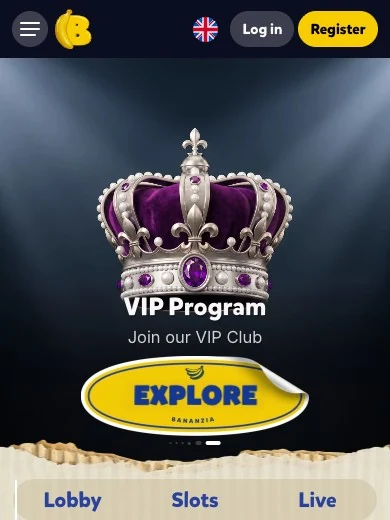
The Log in button sits next to Register in the header on every page, and your e-mail and password are entered on a single screen without a separate country selection. The same credentials are used in the browser and in our Android app, and a logout on a shared device is recommended by us after every session.
- Browser on desktop, tablet or phone with the same credentials
- Official Android app with the same account
- Password reset through the link on the login screen
- Session kept open on your own device until you log out
Verification
Verification is triggered by any withdrawal request, by lifetime deposits above 2,000 €, or by a transaction that is flagged by our payments team, and a Source of Wealth document is requested once your deposits pass 5,000 €. The documents are uploaded by you in the account settings, and all of them have to show four corners, readable text and a validity of at least three more months.
| Document | Requirement | When it is checked |
|---|---|---|
| Government photo ID | Passport, ID card or driving licence, front and back where applicable | Before the first payout |
| Selfie with the ID | Face and document visible in one picture | Together with the ID |
| Proof of address | Utility bill or bank statement issued within the last 3 months | Before the first payout |
| Source of Wealth | Employment, business, inheritance or investment papers | Deposits above 5,000 € |
| Video verification | Requested when documents are not in the Latin alphabet | On request |
Scroll horizontally to see the full table
Documents are best sent by you in the first week, because an account can be frozen by us while a check is pending, and winnings may be confiscated when the requested papers are not provided within 14 days.
Login problems
- Forgotten password: the reset link on the login screen sends a new link to your e-mail, and the spam folder is checked first.
- Confirmation e-mail not received: the address is checked for typos in the account settings and a new e-mail is requested from support.
- Account frozen: a document check is usually pending, and the missing file is uploaded in the settings or sent to support@bananzia.com.
- Login refused after a payout request: when we could not reach you by e-mail or phone within two weeks of a withdrawal, the account is locked until the KYC is completed.
- Self-exclusion active: an account that was blocked at your own request through block@bananzia.com is not reopened during the chosen period.
Frequently asked questions
Which fields are needed for a Bananzia sign up?
The form asks for your e-mail, password, first and last name, date of birth, country of residence, gender, full address and nationality.
Can a Bananzia account be used before verification?
The account is opened immediately, but deposits, tips and withdrawals are held by us until the two-step verification has been completed.
Which proof of address is accepted?
A utility bill or a bank statement that was issued within the last three months and shows the same address as your profile.
How is the Bananzia password reset?
A reset link is requested by you on the login screen and is sent to the e-mail address of the account.
Is the login the same in the Android app?
Yes, the same e-mail and password are used by you in the browser and in our official Android app.